

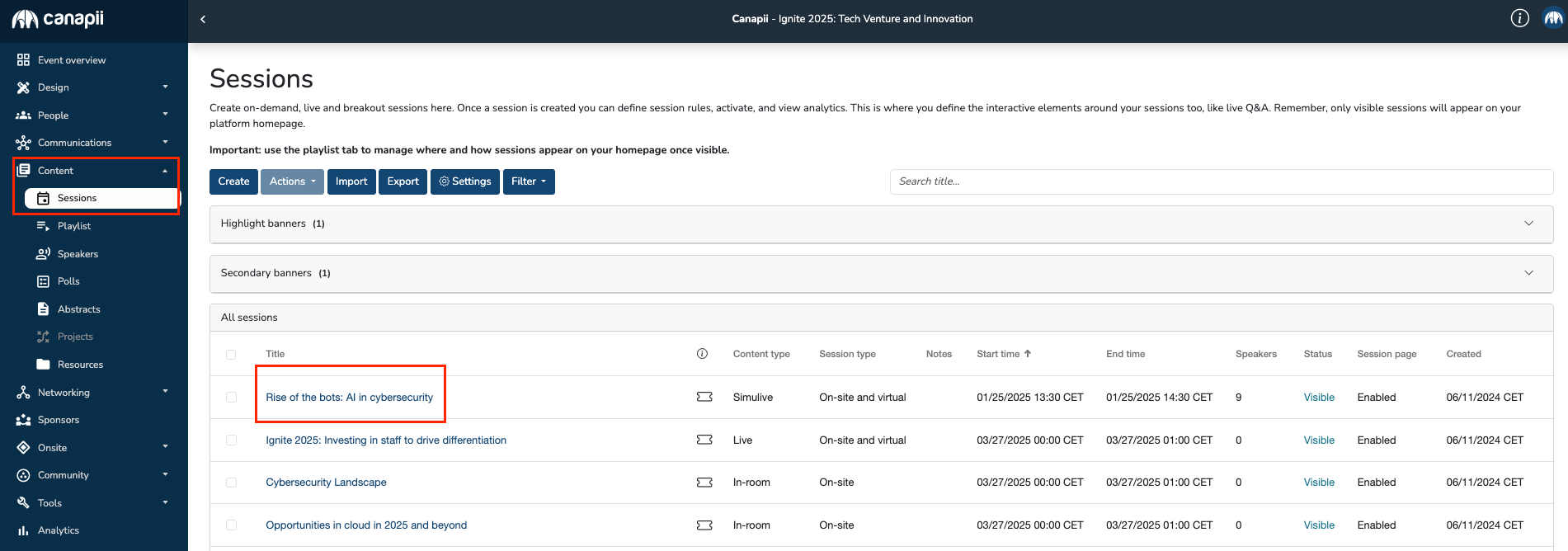
To add resources inside the session page, go to Content > Sessions and select the session name.
Once inside the session settings, scroll all the way down and click on the Attachments tab in the row of tabs as shown below:
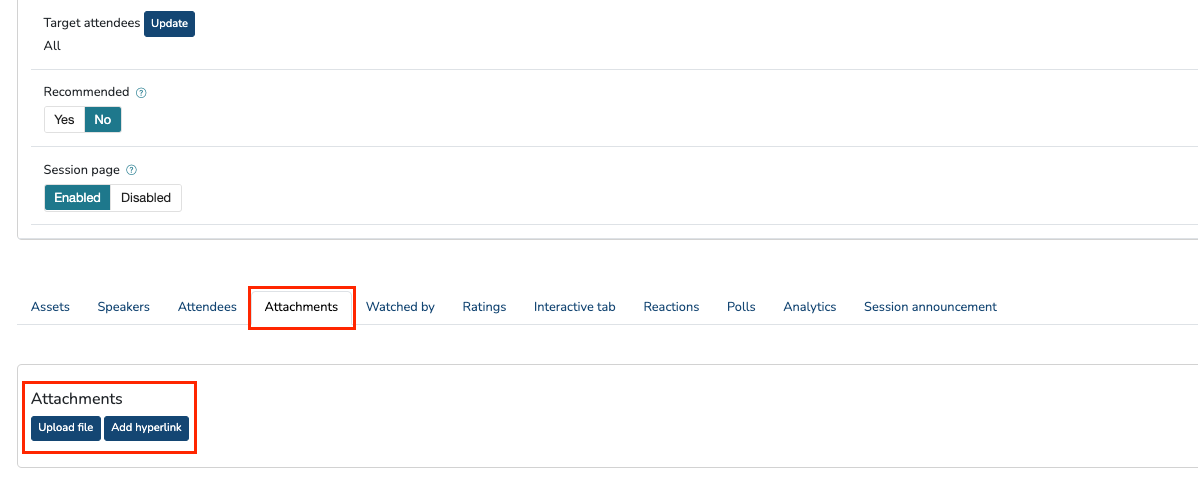
You can add URLs and the following file formats: pdf, doc, docx, xls, xlsx, ppt, and pptx.
These will appear under the player window of the session page and will be available for your attendees to download to their own devices. Additionally, there isn’t a cap on the amount of resources that you can make accessible to your audience!
Tip:
Need to share the slides that were just presented with your audience? You may add them here!